PercentURL / URL encoder online
URL Encoder Online: Encode the Right Part of a URL
A quick, practical way to turn text into URL-safe data without changing the structure of the link around it.
/, ?, =, and & where they belong. Open the URL Encoder
How to use an online URL encoder
- Identify the exact text that will become a URL value or path segment.
- Paste only that text into the encoder.
- Encode it, then copy the result.
- Insert the result into the intended part of your URL.
- Review the finished link to make sure its separators remain in the right places.
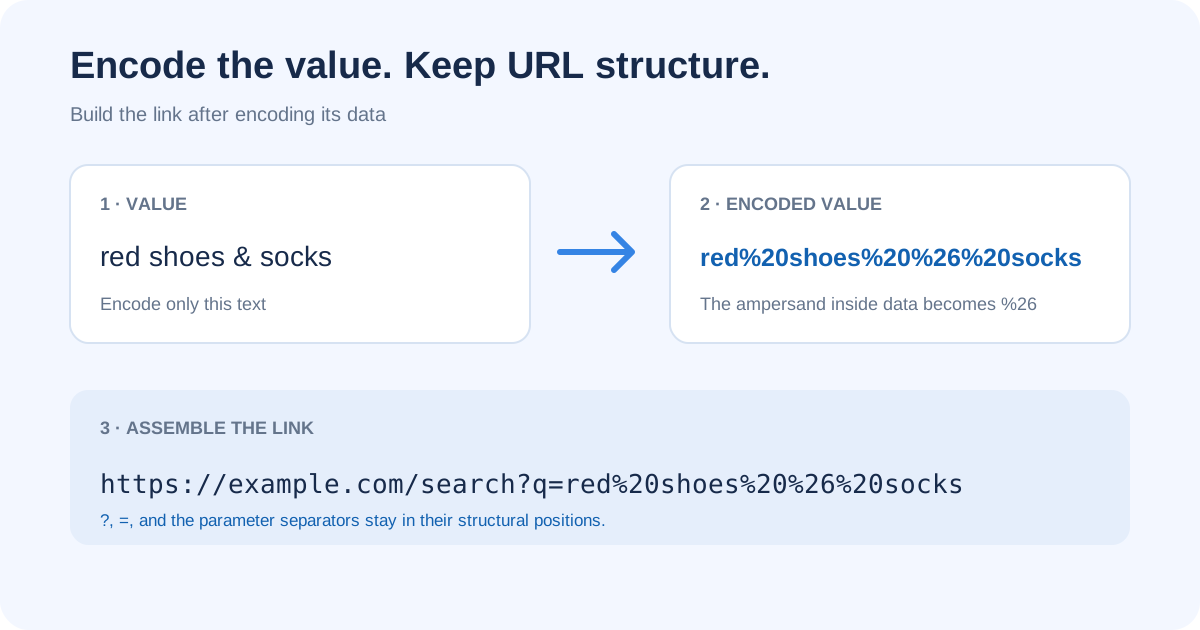
Encoding changes how text is represented; it does not validate that the completed URL points to the right page or that the receiving service accepts the value. Keep the original value until you have checked the link.
Why use an online URLencoder that runs locally
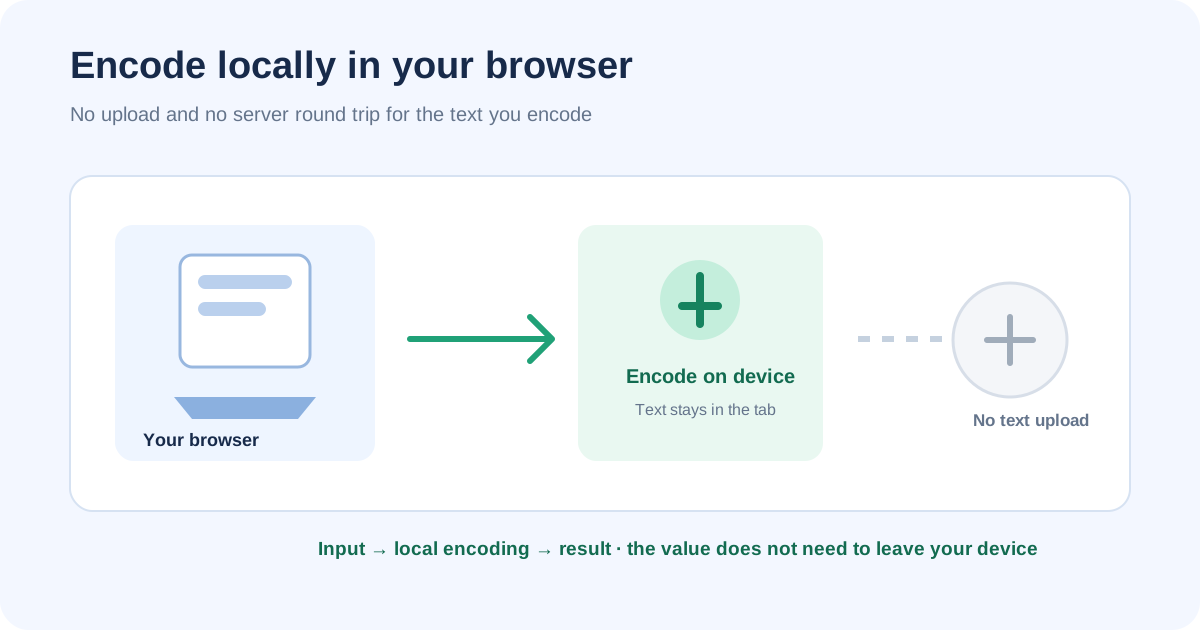
An online URLencoder is only useful if you can trust it with the text you paste. PercentURL encodes entirely in your browser tab, so the value never leaves your device. That matters when the text is a search phrase, an email, a file name, or anything you would not paste into a server you do not control.
- Private: input is processed on your device; nothing is sent over the network to encode it.
- Instant: there is no upload step and no round trip to wait for.
- No install: open the page and encode—no app, no account, no extension.
- Portable: the same tool works on a phone, tablet, or desktop browser.
Example matrix: encode a value before building a URL
These examples encode each input as one component. They do not encode a complete link.
| Input value | Encoded value | What to notice |
|---|---|---|
red shoes & socks | red%20shoes%20%26%20socks | The ampersand belongs to the value, so it becomes %26. |
[email protected] | name%40example.com | The at sign is represented as data within this component. |
50% off | 50%25%20off | A literal percent sign becomes %25. |
folder/report 1.pdf | folder%2Freport%201.pdf | This encodes the slash as data. Use it only when the whole string is one value, not when the slash should separate path segments. |
東京 café | %E6%9D%B1%E4%BA%AC%20caf%C3%A9 | Non-ASCII characters are represented by their UTF-8 bytes. |
Keep URL structure separate from data
A URL contains structural marks as well as values. The same character can serve different jobs: & may separate query parameters or be part of a search phrase; / may divide path segments or be data inside one value. Decide what each character means in context before encoding it.
Suppose the search phrase is red shoes & socks. Encode that phrase, then add it after q=. Keep the real ampersand before sort as a separator:
https://example.com/search?q=red%20shoes%20%26%20socks&sort=price
If you put the raw ampersand inside the value, a query parser can treat the text after it as another parameter. Encoding the value keeps the phrase together.
Why is replacing & with %26 not fixing my URL?
Encode an ampersand only when it belongs to a parameter value. If you replace every ampersand after assembling the URL, you can also erase the separators between real parameters. Start with the raw value, encode that one value, then build the query with a URL API. For example, the value red & blue belongs as q=red%20%26%20blue, while the literal & before sort=recent remains a separator. If the server still rejects it, inspect what the client sends and what each server layer decodes; do not encode the finished URL repeatedly.
Check for double encoding
If already encoded text is encoded again, percent escapes become ordinary encoded text. For example, %20 can become %2520 because the percent sign itself becomes %25. The receiving page may then display the escape characters instead of interpreting them as a space.
Before encoding, check whether the input already contains escapes such as %20 or %2F. Confirm whether those sequences are intended encoded data or literal text, then encode once when inserting the raw value into its URL component.
Spaces in a URL and form data
A space may appear as %20 in percent-encoded URLs. In form-style query serialization, it may appear as +; a literal plus in that convention is commonly written %2B. Follow the format expected by the server or API that receives the URL.
For a detailed comparison of component, full-URL, and form modes, see URL encode and decode: choose the right mode.
If an encoded slash (%2F) still returns 404, the receiving server may be rejecting or decoding it before the route runs. See why an encoded slash can still return 404.
Why a redirect URL needs two encoding steps
A redirect link often contains another complete URL as a query value. The inner URL has its own ?, &, and = characters. If those characters are pasted raw into the outer query, the outer parser may mistake them for its own separators.
For example, this is ambiguous because the inner &sort=recent can be read as a second outer parameter:
https://login.example/authorize?client_id=abc&redirect_uri=https://shop.example/search?q=tea&sort=recent
Encode the complete inner URL as the value of redirect_uri, while leaving the outer ? and & separators readable:
https://login.example/authorize?client_id=abc&redirect_uri=https%3A%2F%2Fshop.example%2Fsearch%3Fq%3Dtea%26sort%3Drecent
Now the outer URL has two parameters: client_id and redirect_uri. The encoded %26 belongs to the inner link; the literal outer & separates outer parameters.
Encode the inner link in the right order
- Build the inner URL with its own parameters.
- Serialize the inner URL to text.
- Add that string to the outer URL with
URLSearchParamsor a component encoder. - Read the outer parameter first; parse its returned value as the inner URL.
const inner = new URL("https://shop.example/search");
inner.searchParams.set("q", "tea & cake");
inner.searchParams.set("sort", "recent");

const outer = new URL("https://login.example/authorize");
outer.searchParams.set("client_id", "abc");
outer.searchParams.set("redirect_uri", inner.href);

console.log(outer.href);
URLSearchParams serializes the outer parameter value for you. Spaces in its form-style query serialization may appear as +; an encoder for a generic URL component commonly uses %20. Use the convention expected by the receiving endpoint.
Why can a redirect break when Nginx uses $request_uri?
Nginx defines $request_uri as the full original request URI, including its arguments. It is already a complete request-target, not a single query value. If you insert it into another redirect parameter, its ?, &, and = can be read as the outer URL's structure unless the inner URI is encoded as one value. With proxy_pass variables, Nginx also passes a specified URI as-is, replacing the original request URI; the exact result depends on the location and rewrite configuration. Check whether the destination is meant to receive the original request or a nested URL, encode only the nested value, and inspect the outgoing Location header before changing configuration. See the Nginx core variables and proxy_pass documentation.
Decode one layer at a time
Parse the outer URL to get redirect_uri, then parse that value as a URL to read the inner search parameters:
const receivedOuter = new URL(outer.href);
const redirectText = receivedOuter.searchParams.get("redirect_uri");
const receivedInner = new URL(redirectText);

console.log(receivedInner.searchParams.get("q")); // "tea & cake"
console.log(receivedInner.searchParams.get("sort")); // "recent"
Each parser handles its own URL boundary. Avoid decoding the complete outer URL before parsing it: turning encoded inner separators into literal characters too early can change which parameters the outer URL appears to contain.
For the matching Python API, see the nested URL query example.
Before you copy the finished link
- Did you encode only the value or component you intended?
- Are
/,?,=, and&still in the right structural positions? - Did a literal percent sign become
%25? - Did you avoid encoding the same value twice?
- Does the receiving service expect
%20or form-style+for spaces?
Encode your value now
Use PercentURL’s browser-based URL encoder to encode one value, then review the finished URL in context before sharing or submitting it.
Open the URL Encoder / DecoderFor the underlying byte rules, read What Is Percent-Encoding?
Watch: Percent-Encoding Fundamentals
See why an encoder should transform the value while preserving the URL structure.